
Introduction
In the world of audio production, recording, and playback, audio clipping is a commonly encountered issue. It not only affects the quality of sound but can also lead to equipment damage if not addressed. This blog aims to demystify audio clipping, explaining what it is, how it occurs, and how to prevent it.
What is Audio Clipping?
Audio clipping happens when an amplifier is overdriven and attempts to deliver an output voltage or current beyond its maximum capability. When this occurs, the audio signal exceeds the amplifier's limit, causing the top and bottom of the waveform to be "clipped off." This results in distortion, which is often undesirable in audio playback and recording.
Causes of Audio Clipping
Overdriving the Amplifier: When the input signal level is too high for the amplifier to handle, it leads to clipping. This is common in scenarios where the volume is turned up higher than the equipment can handle.
Inadequate Power Supply: An underpowered amplifier can struggle to reproduce loud sounds, leading to clipping. This is often seen in budget audio systems where the amplifier isn't robust enough for the speakers.
Poor Quality Equipment: Low-quality or damaged equipment (like speakers and cables) can also contribute to clipping.
Symptoms of Clipping
Distorted Sound: The most noticeable symptom is a harsh, distorted sound, especially at high volumes.
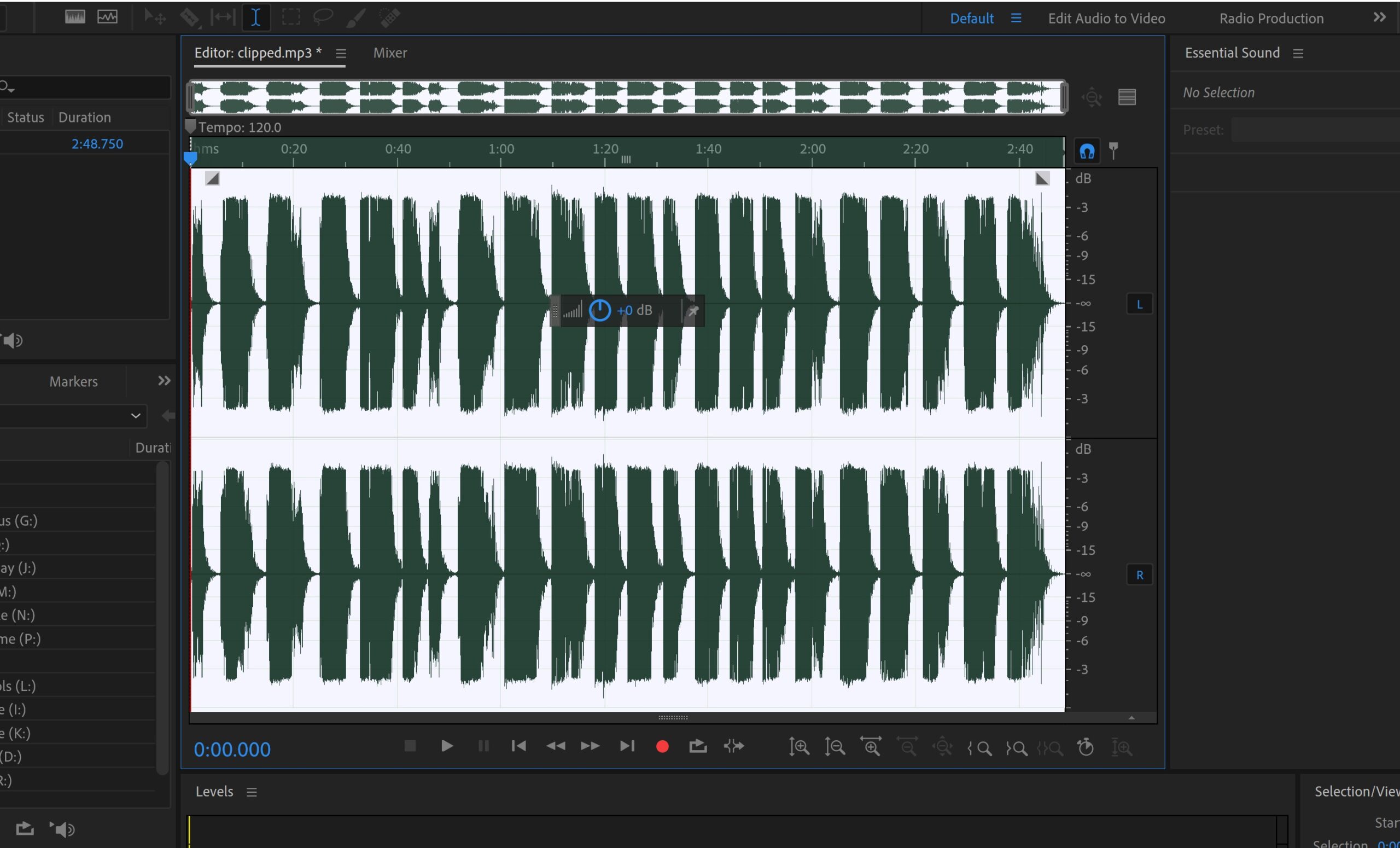
Flat Topping on Waveform: Visually, clipping can be identified by looking at the waveform in an audio editing software. A clipped waveform shows flat tops and bottoms.
Equipment Heat: Excessive clipping can cause amplifiers and speakers to overheat.
Preventing Audio Clipping
Proper Gain Staging: Ensure that each stage of the audio path is set correctly. Avoid pushing levels too high in the preamp stage.
Use Appropriate Equipment: Match your amplifier and speakers in terms of power handling and compatibility.
Regular Equipment Checks: Regularly check and maintain equipment to ensure everything is functioning correctly.
Monitoring Levels: Keep an eye on the levels while recording or playing back audio. Use meters and visual indicators to prevent clipping.
Conclusion
Audio clipping, while common, can significantly impact the quality of sound and the longevity of audio equipment. Understanding its causes and symptoms is crucial for anyone involved in audio production or playback. By employing preventative measures and using appropriate equipment, clipping can be avoided, ensuring a clearer, more enjoyable audio experience.
Further Reading
For those interested in a deeper dive into audio clipping, there are numerous resources available. Books on audio engineering, online tutorials, and forums dedicated to audio equipment can provide additional insights and practical advice.
 Call Now to Get Featured
0 comments